What to do first
The decision engine for PG owners
PGTracker reads your beds, rent, residents, and enquiries, then puts the one thing that needs you first at the top. You make the call.
1 property · up to 30 beds · No credit card
A register keeps the records. A decision engine tells you what to do.
Notebooks, spreadsheets, and WhatsApp chats can hold every fact about your PG. None of them tells you which fact needs you first. PGTracker keeps the records too, then does that part: it finds what is late, empty, or waiting and puts it in order.
How it decides
From your records to the first action.
1. It reads your PG
Property, rooms, beds, residents, rent, deposits, enquiries, and complaints, from the records you keep in PGTracker.
2. It finds what needs you
Rent that is late, beds that are empty, checkouts that are due or coming up, complaints that are open, and enquiries that are waiting.
3. It puts them in order
Fixed rules. Overdue checkouts and unpaid rent come before empty beds. Of two equally urgent items, the one that has waited longer comes first. The list stops at five.
4. You take the action
The top item has the button: collect rent, check out, extend a stay, view vacant beds, or follow up.
What you see
The owner home, top to bottom.
Morning pulse
Beds filled, rent overdue, and rent collected this month, on one line.
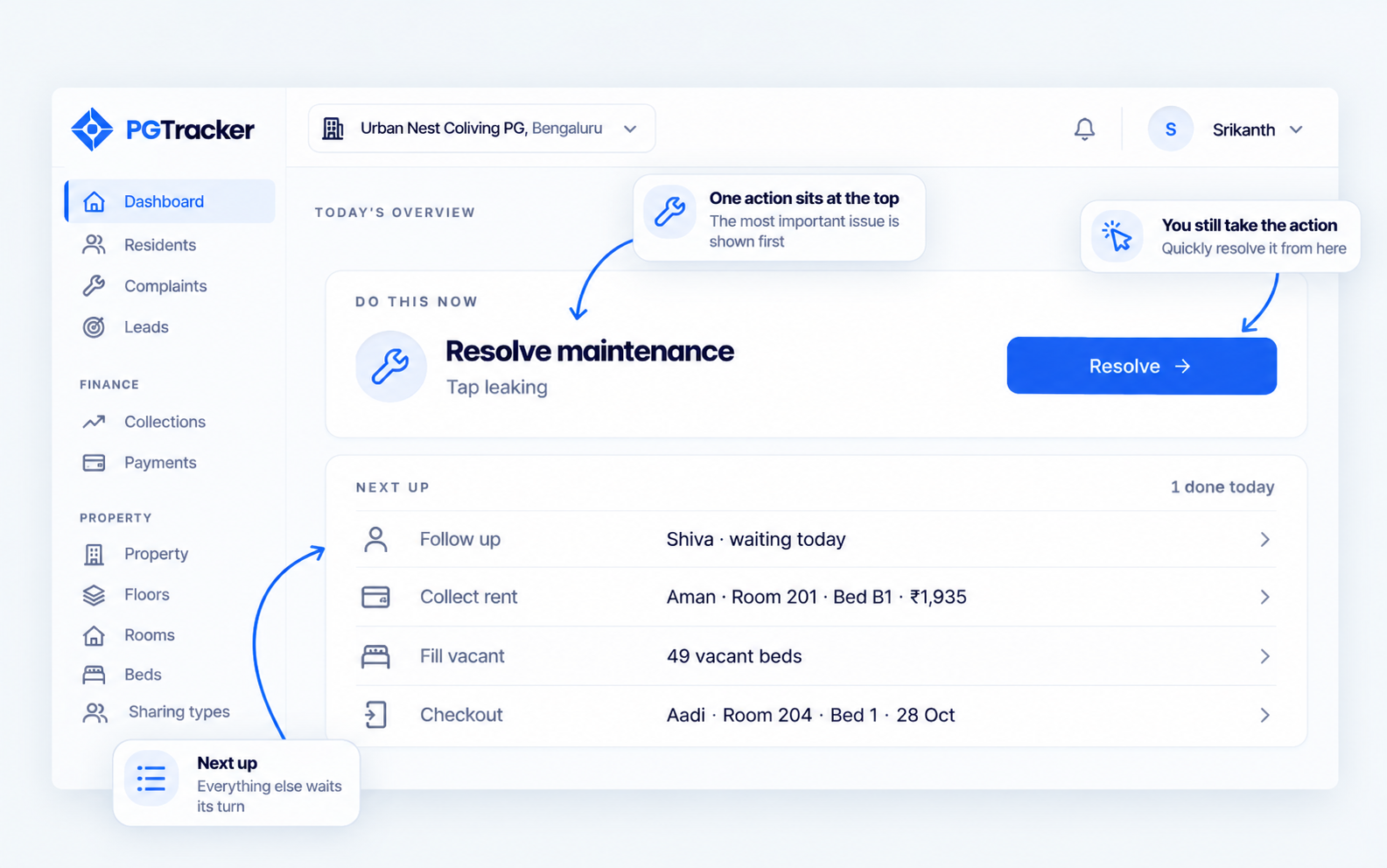
Do this now
The one item that needs you most, with the button to act on it.
Next up
The rest of the list, in order. Everything else waits its turn.
Empty beds
How many are empty, and the monthly rent they could earn at your current rates. Not a guaranteed loss.
Done today
A count of what you have already handled today, beside the list.
An example of the list
From a demo PG. Your list is built from your own records.
Free, Grow, and Pro
Free is 1 property and up to 30 beds, with the records and the morning list. Grow raises the bed limit on that same property and adds a staff seat. Pro covers up to 3 properties. Prices and the rest of the limits are on the pricing page.
Decision engine questions
What is a decision engine for PG owners?
It is software that reads what is happening in your PG and tells you what to do first. PGTracker reads your beds, rent, residents, and enquiries, picks what needs you most, and keeps the rest in order behind it.
How is that different from keeping records?
A register keeps the records. PGTracker keeps them too, then does the part a register cannot: it finds what is late, empty, or waiting, and puts the most urgent item on top with the button to act on it.
How does PGTracker choose what comes first?
By fixed rules. Overdue checkouts and unpaid rent come before empty beds. When two items are equally urgent, the one that has waited longer comes first. The list stops at five and is never padded. Empty beds and no enquiries are one action, Fill vacant beds, not several tasks.
Does it use AI?
No. PGTracker follows fixed rules, so the same records on the same day give the same list. It does not guess who will pay late or who will leave. It uses the dates and amounts you enter.
What does it need from me?
Your property, rooms, beds, and rents, then your residents and payments as they happen. The list is built from those records, so it starts once your first resident is in.
What does PGTracker not do?
It does not act for you: you call, collect, check out, or assign the bed. It does not predict, and it does not pad the list. When nothing needs you, it says so.
Is there a free plan?
Yes. Free includes 1 property and up to 30 beds, with the records and the morning list. Grow raises the bed limit on that property. Pro covers up to 3 properties. See Plans & Pricing for limits.
Continue exploring
PG Management Software
The records the decision engine reads, and how PGTracker fits the PG software category.
Free PG Management Software
What Free includes for 1 property and up to 30 beds.
Plans & Pricing
Free, Grow, and Pro limits for beds and properties.
PG Rent Management
Overdue rent you can see, and a reminder you send yourself.